
Smart
Shopping
Scanner
Your complete shopping companion. Scan barcodes, manage list, & save money, all in one app.


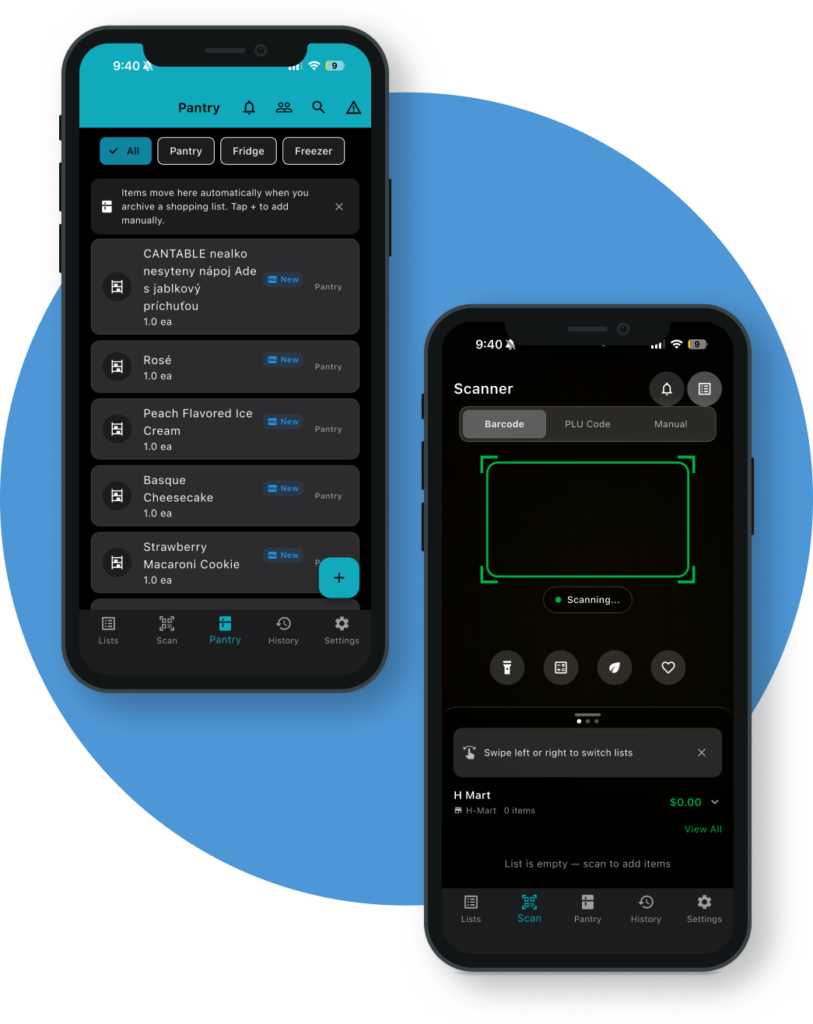
about smart shopping scanner
Smart Shopping Scanner turns your iPhone into a powerful shopping assistant. Use your camera to scan barcodes and look up PLU codes for produce — instantly identify products and add them to your shopping lists without typing a thing. Whether you’re building a grocery list at home or checking prices in the store, the app keeps everything organized in one place.
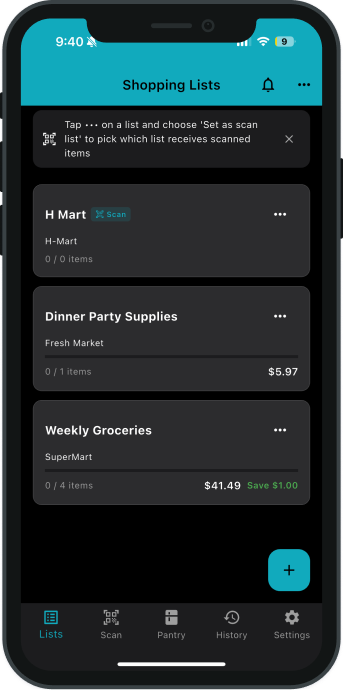
Create and manage multiple shopping lists for different stores, occasions, or household needs. Each list tracks item quantities and prices so you can see estimated costs before you check out. Mark items as you shop, flag sale prices, and keep a running total — no more guessing at the register.
The app also includes a built-in calculator for quick price comparisons, a scan history so you can find products you’ve looked up before, and a personal product library where you can save favorites and add custom items with photos. Everything is stored on your device — no account required, no internet needed.
Simple & easy
features
Discover how Pure Hunger Labs safeguards your data and respects your privacy across our games and website.
smart scanning
shopping lists
price tracking
digital pantry
built-in calculator
works offline
Frequently asked questions
How Do I Scan a Barcode?
Tap the scan button and point your camera at the barcode on any product. The app will automatically detect and read the barcode, then look up the product information. Make sure the barcode is well-lit and fully visible in the camera frame.
what are plu codes & how do i look them up?
PLU (Price Look-Up) codes are the 4- or 5-digit numbers on stickers found on fresh produce like apples, bananas, and tomatoes. In the app, you can enter a PLU code manually to look up the product name and add it to your list — handy when there’s no barcode to scan.
how do i manage multiple shopping lists?
From the main screen, tap the lists tab to see all your shopping lists. You can create new lists, rename them, and switch between them. Each list maintains its own items, quantities, prices, and checked-off status independently.
The camera isn't scanning. what shuld i do?
- Make sure you have granted camera permission to Smart Shopping Scanner in your device’s Settings > Privacy > Camera
- Ensure the barcode is well-lit and not damaged or wrinkled
- Hold your device steady about 6–10 inches from the barcode
- Restart the app by closing it completely and reopening it
- Still having trouble? Email us at support@purehungerlabs.com with your device model and iOS version
does the app require an internet connections?
No. Smart Shopping Scanner works entirely offline. All your shopping lists, product library, and scan history are stored locally on your device. No account or internet connection is needed to use the app.
Privacy Policy
Smart Shopping Scanner collects minimal data and does not display ads or sell your information. Read the full privacy policy for details.
Support
Smart Shopping Scanner collects minimal data and does not display ads or sell your information. Read the full privacy policy for details.
Email: support@purehungerlabs.com
We aim to respond within 48 hours.